 DASH360GROUP
Connected Services
DASH360GROUP
Connected Services
Run every service from one cleaner main page.
The home experience now leads with a single message, a working service orbit, and direct paths into investment, commerce, member access, and core operational flows without the duplicate sections and broken layout from the previous version.

DEMOCRATIZATION OF WEALTH
DASH360GROUP VISION
Building generational wealth through discipline, education, and consistent investing.
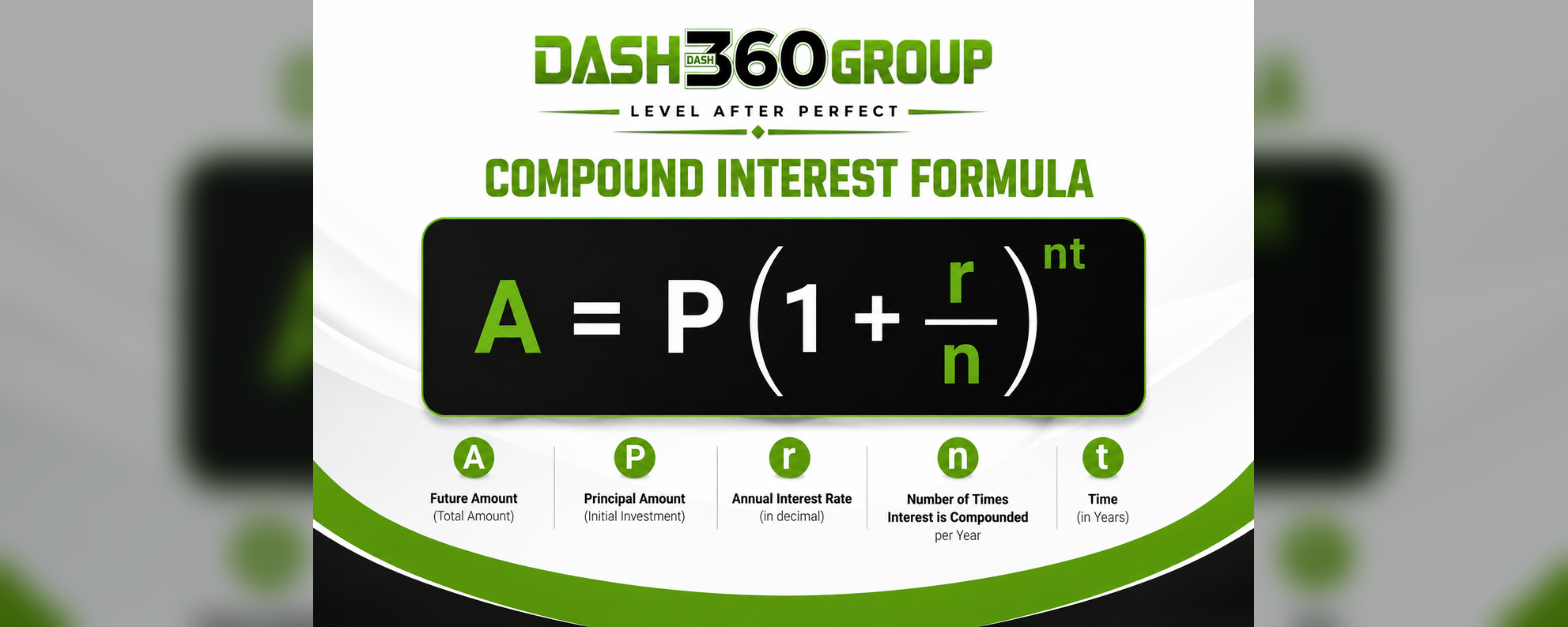
BUILDING WEALTH WITH DISCIPLINE
DASH360GROUP VISION
Small steps today create a stronger financial future tomorrow.
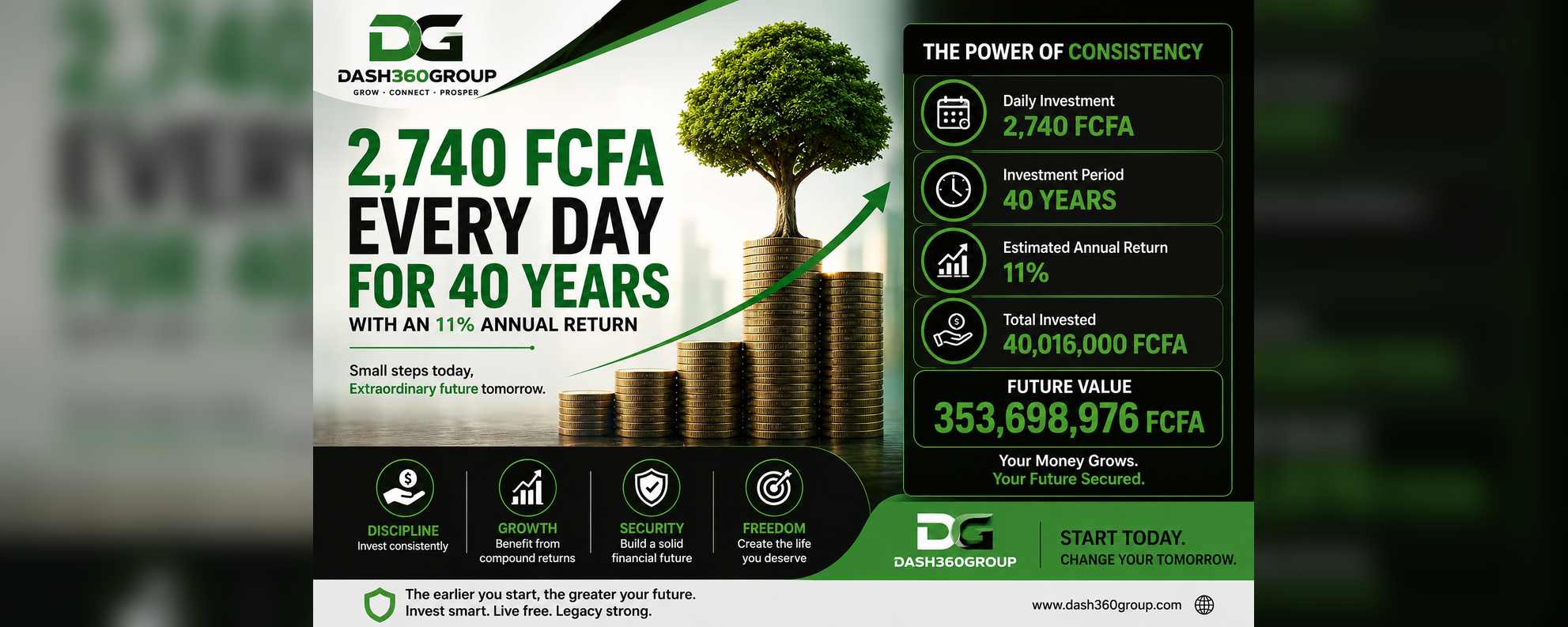
GROW • CONNECT • PROSPER
DASH360GROUP VISION
The Dash360Group mission is to empower families and communities through opportunity and financial growth.
A sharper dashboard for the services people actually need first.
The page now prioritizes direct entry into the live products, while still presenting the larger DASH360 ecosystem as structured lanes instead of a long generic landing page.
Dash Invest
Manage investor activation, view portfolio activity, and route members into growth products.
Wood Shop
Browse products, manage storefront flow, and connect production with online sales.
Access Portal
Sign in or register to unlock the member profile, activation flow, and personalized services.
Operations Hub
Use the main home as the routing layer for future construction, training, logistics, and admin modules.
Show the ecosystem as active lanes, not disconnected pages.
This section gives the main page stronger information density without turning it into a cluttered list. Each block represents what the homepage is organizing for the user.
Woodworking and other physical services need a visible commercial lane from the home page.
The home page now points directly into the updated activation and summary experience.
Users can reach registration, login, and account space without hunting through dropdowns first.
One page that explains how the system works.
The redesign is built around the idea that visitors should understand the platform in three steps: enter, choose a service lane, and move into the module that handles the real work.
Enter the ecosystem
Use a cleaner hero with immediate account actions instead of a duplicated second hero further down the page.
Pick the lane
The orbit and module cards provide visible paths to investment, commerce, profile access, and service areas.
Operate the module
Each route pushes users into the real app page where transactions, onboarding, and inventory work happen.
A business ecosystem, not a collection of unrelated templates.
This homepage is now structured to communicate the platform more credibly: one visual direction, one hero, consistent section spacing, and working navigation targets that match the rest of the site.
Use the home page as the launch point for the whole group.
The broken orbit block is fixed, the layout is simplified, and the page now behaves like a real dashboard-style landing screen instead of stacked demo sections. From here you can route users into investment, commerce, or member access immediately.